The one we recommend
Pro
Everything that brings customers back.
Price on request
- Stamps and cashback in points
- Push notifications and campaigns
- Prepaid passes
- Bring a friend
- Tiers with discounts
- Analytics in the dashboard
Backy moves your stamp card onto your customers’ phones. It opens in the browser, so there is no app to download. The cashier scans a QR code and the stamp is on.
Try it. Today you are the cashier.
Café de la Esquina
5 stamps and the sixth coffee is on the house
0 of 5 stamps
It stays in the other bag. Or goes through the wash with the jeans.
You have no idea how many are out there or how many free coffees you owe.
And when your every-morning regular stops coming, you have no way to reach them.
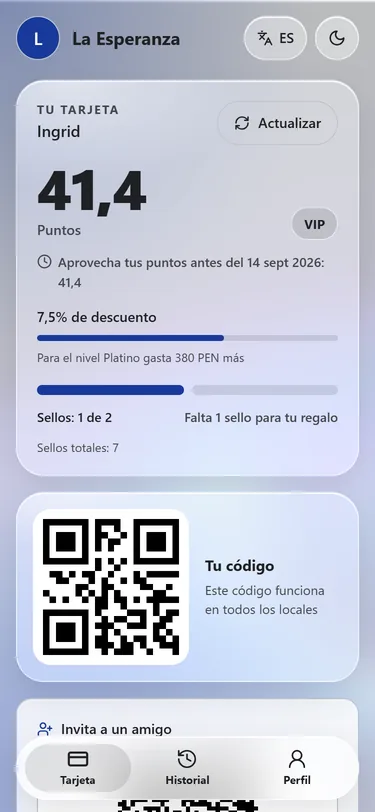
With Backy the card lives on the phone. It knows your customer’s name and tells them when one stamp is missing.
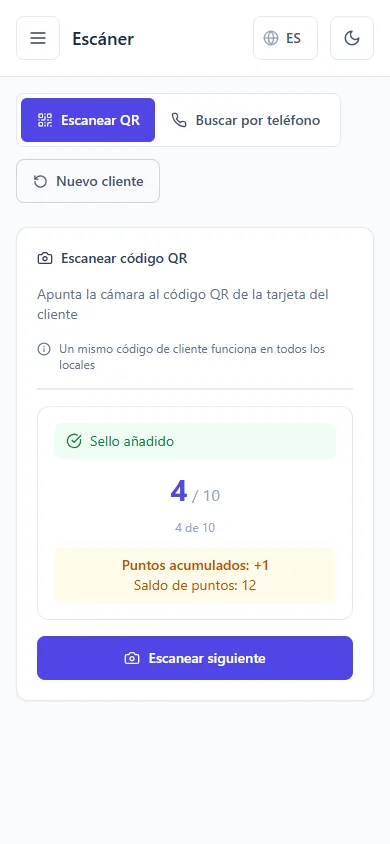
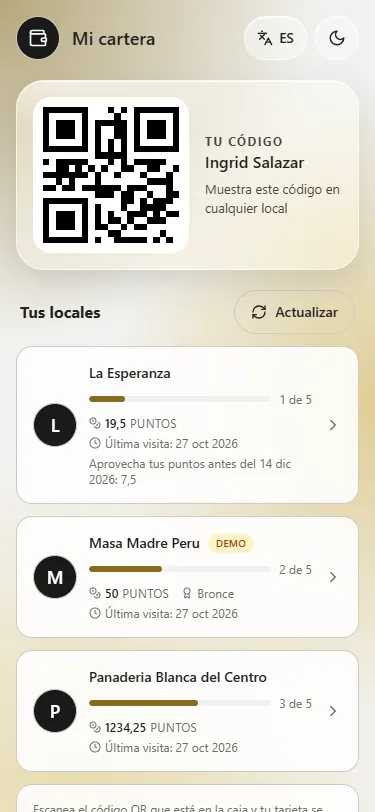
One QR that works at every Backy business. It sits on their home screen, like an app.
With the camera of the phone or tablet at the counter. If you give points, they type in the amount.
The customer gets a notification right away. You see it in your dashboard.
What you need: a phone or tablet at the counter, a QR sticker by the till and about fifteen minutes of setup. Your point of sale stays as it is.
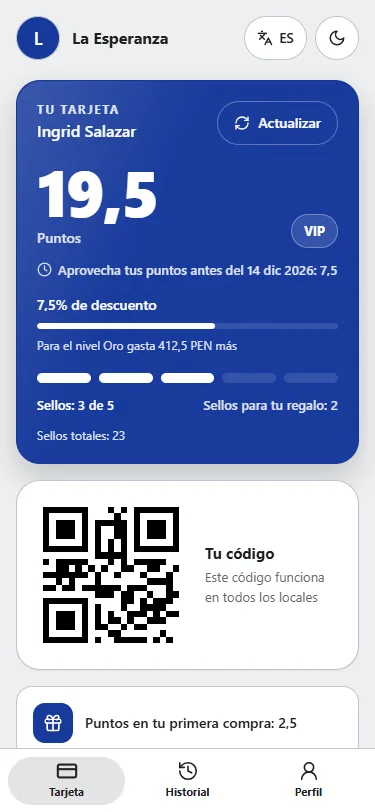
On every purchase the cashier picks what to give: the stamp, the points or both. You set how many stamps earn a reward and what percentage comes back.
Each person has a cap on notifications that counts every Backy business together. Nothing goes out at night: nobody wants to hear from the bakery at midnight.
Café de la Esquinanow
One more stamp and your next coffee is free.
Panadería San Blas8:02
Happy birthday, Rosa. There is a gift waiting for you today.
Lavandería Mirafloresyesterday
We haven’t seen you in a month. Your card is still here, with 3 stamps on it.
Sample texts. You write your own messages.
Ten coffees for the price of eight, paid today. The money comes in upfront and the customer has ten reasons to come back. Both they and the cashier see the balance.
10 coffees, pay for 8
The customer shares their link. Both get points once the friend makes a first purchase. You pay for people who actually buy.
points for both
For example Bronze, Silver and VIP, each with the discount you choose. The more they come, the more they get.
Bronze · Silver · VIP
The card takes your brand colors. Each customer decides how to see it: solid or glass, day or night. And in their language: Spanish, English, Portuguese or Russian.
If your customer already uses Backy at the café next door, they join your program with one scan. Nothing to fill in again. Every business that joins makes the card more useful for everyone’s customers.
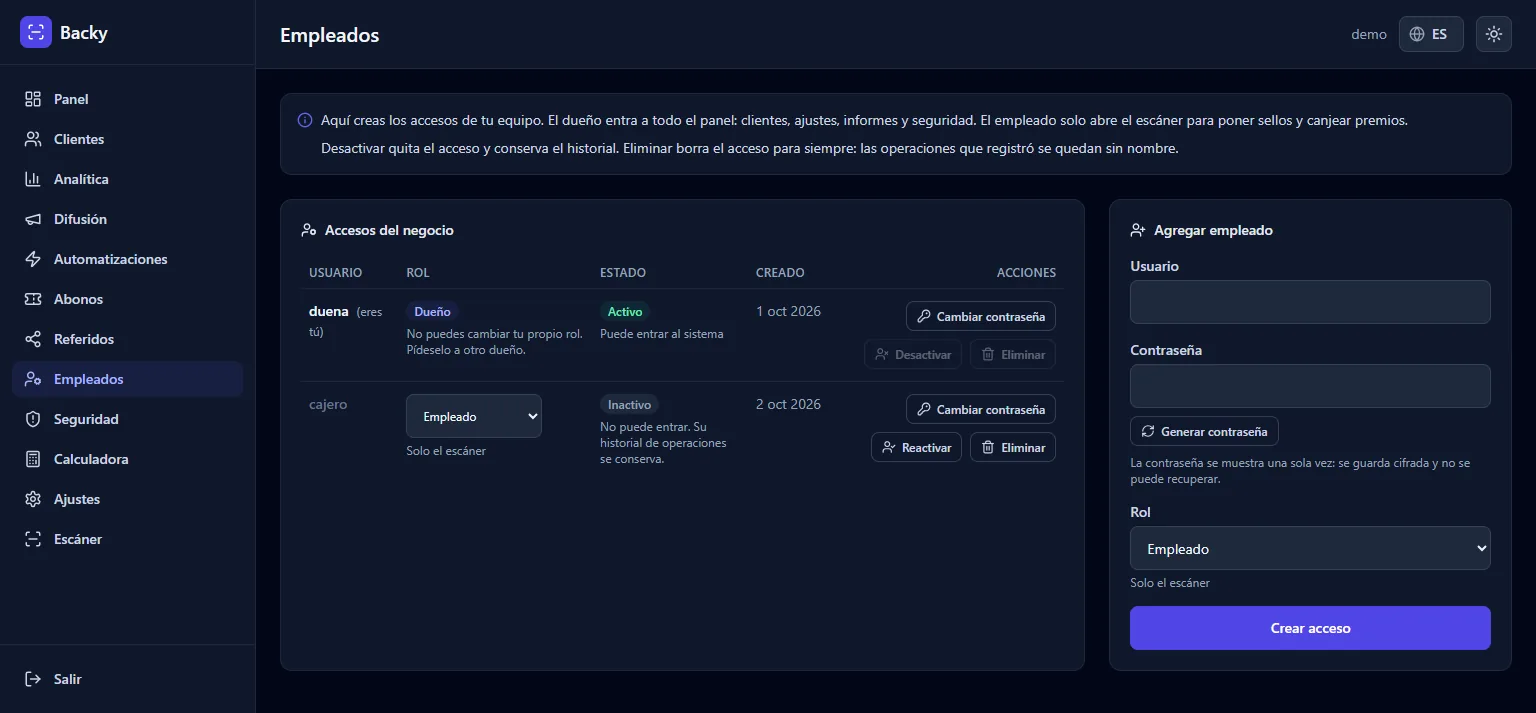
No check is allowed to keep a customer waiting at the counter.
If a transaction looks odd, Backy flags it in your dashboard so you can take a look. The till never locks. A false alarm that scares off a customer costs more than one stamp too many.
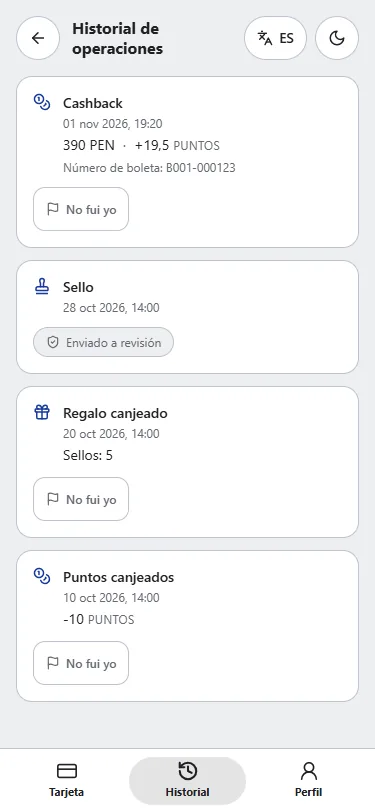
The customer also sees every transaction in their history and can flag one they do not recognize with a “Not me” button.
A discount is a cost. Put in your own numbers and see how much sales need to grow to cover it.
You need to sell more by:
5%
For every S/ 1,000 you sell today, about S/ 50 more.
0.40 × 0.05 × (1 − 0.25) ÷ 0.30 = 0.050
The math: participation × cashback × (1 − unredeemed points) ÷ margin. It is an estimate built on assumptions and does not guarantee results. The calculator in your dashboard runs the same math on your real figures: revenue, average ticket, participation and the rewards you have already given.
Scan with your phone and try the card
This is a test customer’s card at a demo business. It is what your customer sees: stamps, points, their code and their history. The card switches between Spanish, English, Portuguese and Russian.
Or open it here: backy.pe/me/edb6…9096
Want to see it with your name and logo? Message us and we will set it up.
The one we recommend
Everything that brings customers back.
Price on request
Stamps only. Start with what your customers already know.
Price on request
Ask about BasicEverything in Pro, plus the card in the phone’s wallet.
Price on request
Ask about PremiumApple Wallet and Google Wallet cards are not available yet.
No. The card opens in the phone’s browser from a link or a QR code, and can be saved to the home screen.
No. A phone or tablet at the counter is enough to scan the customer’s code.
They use the same code and join your program with one scan. No second sign-up.
Each person has a notification cap across the whole platform, and nothing is sent at night.
You get a flag in the dashboard. The till never locks: the person at the counter gets served first.
Setup takes about fifteen minutes. We load your name, your logo and your rules.
It depends on the plan: Basic, Pro or Premium. Message us on WhatsApp and we will send you the price.
We load your name, your logo and your rules. You open the card on your phone and see what your customer will see.
Message us on WhatsAppWhatsApp: +51 989 849 901